 LiNotes
How it works
Your devices encrypt everything before it leaves the house. The server only stores these encrypted parcels and passes them on to your other devices. Even you as the operator cannot read other people’s notes.
No server at hand? LiNotes also runs entirely without one – choose “Use without server” on first launch. You can add a server at any time later, and your notes then move over.
What you need
- A small computer that is always on – ideally a Raspberry Pi 4 or 5 with Raspberry Pi OS. Any other computer with Debian or Ubuntu works too.
- An address on the internet pointing to your connection – e.g. free via DynDNS (goip.de, DuckDNS, the MyFRITZ! address of your FRITZ!Box …).
- Access to your router to open two ports.
- A terminal with
sudorights on the computer. That’s all.
1 · An address on the internet
Your devices must find the server on the go too. For that you need a name like notes.example.org that always points to your internet connection – even when your IP address changes.
- Create a nameCreate a name with a DynDNS provider, e.g.
familie-notizen.goip.de. Many providers are free. - Keep it currentEasiest is to enter it in the router (German FRITZ!Box: Internet → Freigaben → DynDNS). The router then reports every new IP address itself.
- CheckOn a computer enter
ping familie-notizen.goip.de– your current internet IP must answer.
2 · Open the router
For the HTTPS certificate and the apps to work, your router forwards two ports to the server. Example: a FRITZ!Box with a German interface:
- Open port sharingInternet → Freigaben → Portfreigaben (port sharing) → “Gerät für Freigaben hinzufügen” (add device for sharing) and select the Raspberry Pi.
- Create two shares“Neue Freigabe” (new share) → Portfreigabe → HTTP server (port 80) and HTTPS server (port 443). With IPv6, also activate “IPv6 freigeben” (share via IPv6).
- SaveDone. Other ports stay closed – LiNotes needs nothing more.
3 · Install – one command
Log in to the Raspberry Pi (directly or via SSH) and enter this command. Replace the domain with yours:
$ curl -fsSL https://lisoftware.de/linotes/install-server.sh | sudo bash -s familie-notizen.goip.de
Data on a USB hard drive? Append the path: … | sudo bash -s familie-notizen.goip.de /media/usb/linotes
The script downloads the server, verifies the checksum and sets everything up. After a few minutes you see:
LiNotes-Server 2.1.0 wird geladen …

1/6 Pakete
2/6 Benutzer und Verzeichnisse
3/6 Python-Umgebung
4/6 Dienst
5/6 nginx und HTTPS
Successfully deployed certificate for familie-notizen.goip.de
6/6 Prüfen
Der Server läuft.

Fertig!

  Serveradresse für die Apps:  familie-notizen.goip.de
  Erster Einladungscode:       7F3A-C21E-94B0

In der App die Serveradresse eingeben, „Neues Konto erstellen“ wählen und den
Code eingeben. Weitere Einladungen gibt es danach direkt in der App.
Now set up: the LiNotes service (starts automatically), nginx with an HTTPS certificate from Let’s Encrypt, a nightly backup at 3:40 a.m. – and your first invitation code. The code above is only an example.
4 · Connect the app
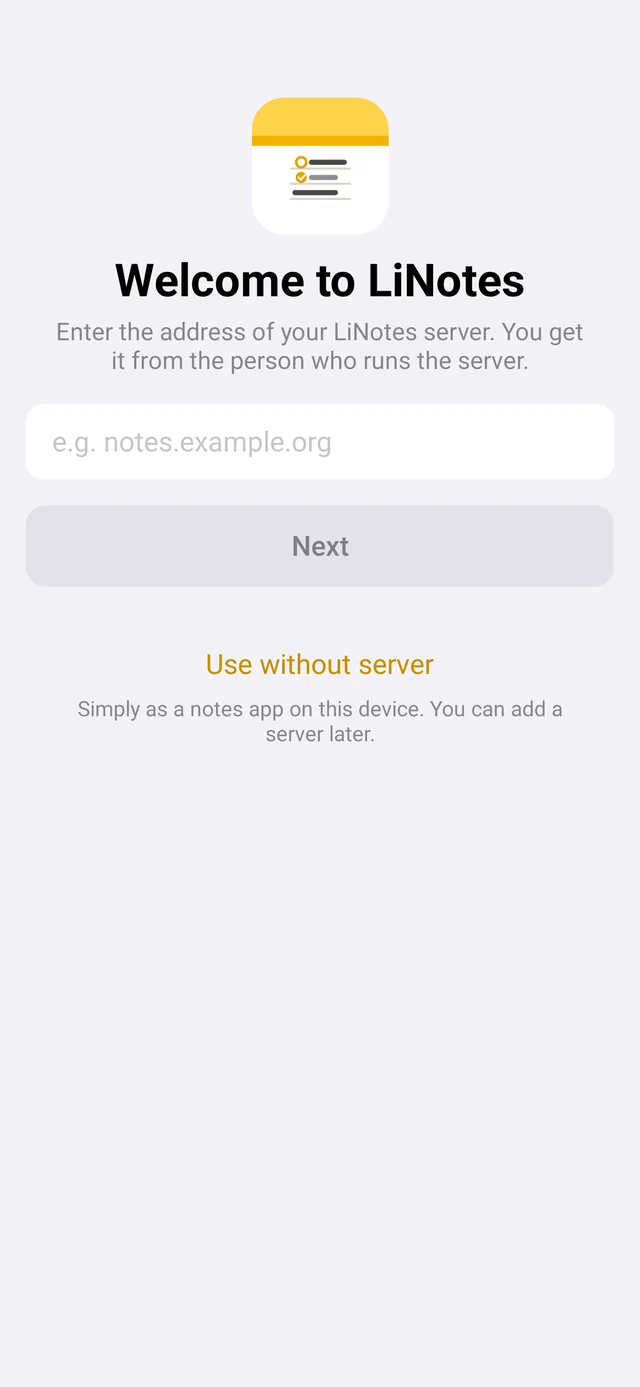
- Enter the server addressOpen LiNotes and enter your domain, e.g.
familie-notizen.goip.de. - Create an accountChoose “Create new account”, enter the invitation code, a user name and your name. There is no password – your account is protected by a key that lives only on your devices.
- Back up the key fileThe app reminds you after a few days. With the file you can get back to your notes even after losing all your devices.
- More devicesOn the second device choose “Connect with another device” and confirm the code shown on the first device – just like with Signal.
5 · Invite the family
In the app under Settings → People and invitations (Ubuntu: account menu → “Create invitation code …”) you get a new code. You pass it on – the person installs LiNotes, enters the server address and creates their account with the code.
Before you share anything, you verify each other once – by code or QR code. After that nobody can slip in a false key.
It also works on the server:
$ sudo -u linotes env LINOTES_DATA=/var/lib/linotes \
    /opt/linotes/venv/bin/python -m linotes_server.admin invite
Backup
Every night at 3:40 a.m. the server makes a consistent copy of the database and all files – in /var/lib/linotes-backup (or next to your data folder). Database copies are kept for 14 days.
Update
Simply run the same command again. The script may run several times: it installs the new version, keeps your data and restarts the service. The apps only notice a short pause.
$ curl -fsSL https://lisoftware.de/linotes/install-server.sh | sudo bash -s familie-notizen.goip.de
If something goes wrong
“HTTPS konnte nicht eingerichtet werden” (HTTPS could not be set up)
Does the domain really point to your connection (step 1), and are ports 80 and 443 open (step 2)? Then simply run sudo certbot --nginx -d your-domain.
The app cannot find the server
Open https://your-domain/api/health in the browser. If it says "ok": true, everything is running – then enter the address in the app without https:// and without a slash.
The service does not start
$ sudo systemctl status linotes
$ sudo journalctl -u linotes -n 50
Works at home, not on the go
Then usually the port sharing is missing or the DynDNS address is out of date. From the phone on mobile data (Wi-Fi off), test the address https://your-domain/api/health.
Without the one-liner
Prefer to do every step yourself? Download the package, verify it and start the installer by hand:
$ wget https://lisoftware.de/linotes/download/linotes-server-2.1.0.tar.gz \
       https://lisoftware.de/linotes/download/SHA256SUMS
$ sha256sum --ignore-missing -c SHA256SUMS
$ tar xzf linotes-server-2.1.0.tar.gz
$ sudo linotes-server/install.sh familie-notizen.goip.de
The installer’s source code is in the package (install.sh) – you can read exactly what it does beforehand.