LiNotes Prevux LiBoard LiCida LiCal LiDio DEENFR
New in 2.2: evidence with checksums for development projects

Everything that matters.
Just for you.

Notes, lists, tasks and plans for Android and Ubuntu.
End-to-end encrypted. On your own server.

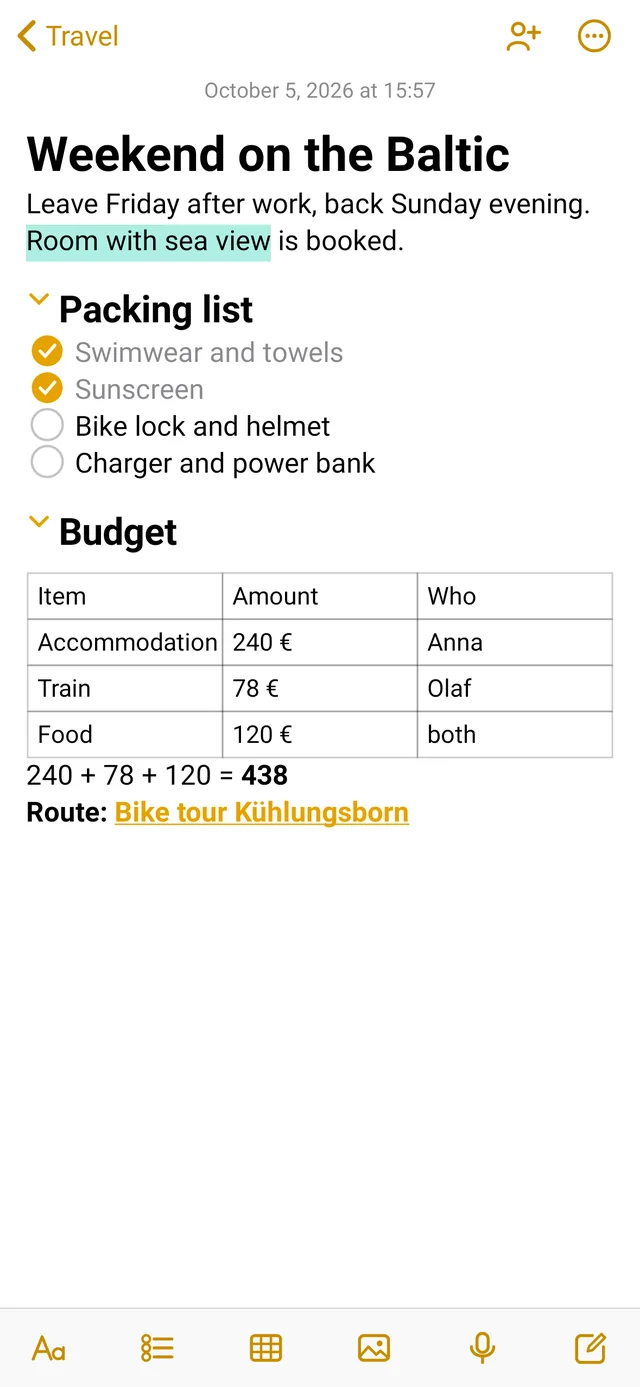
LiNotes on Ubuntu: note “Wochenende an der Ostsee” (weekend on the Baltic) with checklist, table and calculation
The same note on the Android phone

Write it down. Plan it through.
Share it with the right people.

LiNotes brings the simplicity of Apple’s Notes to Android and Ubuntu – and keeps your data where it belongs: with you.

Notes

Notes that think along.

From a quick idea to a trip plan with a budget – all in one note.

Write like on paper.
Only neater.

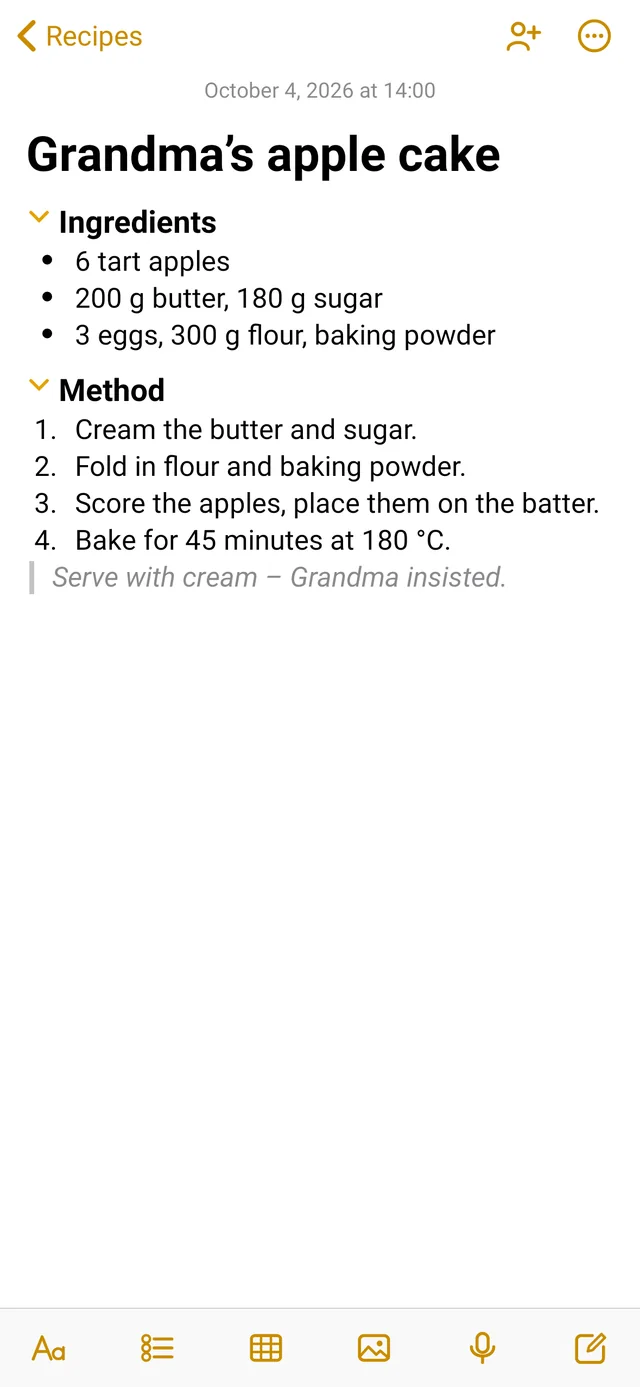
Titles, headings, bulleted lists, numbered lists, quotes and checklists with round ticks. One tap is enough – and everything looks typeset.
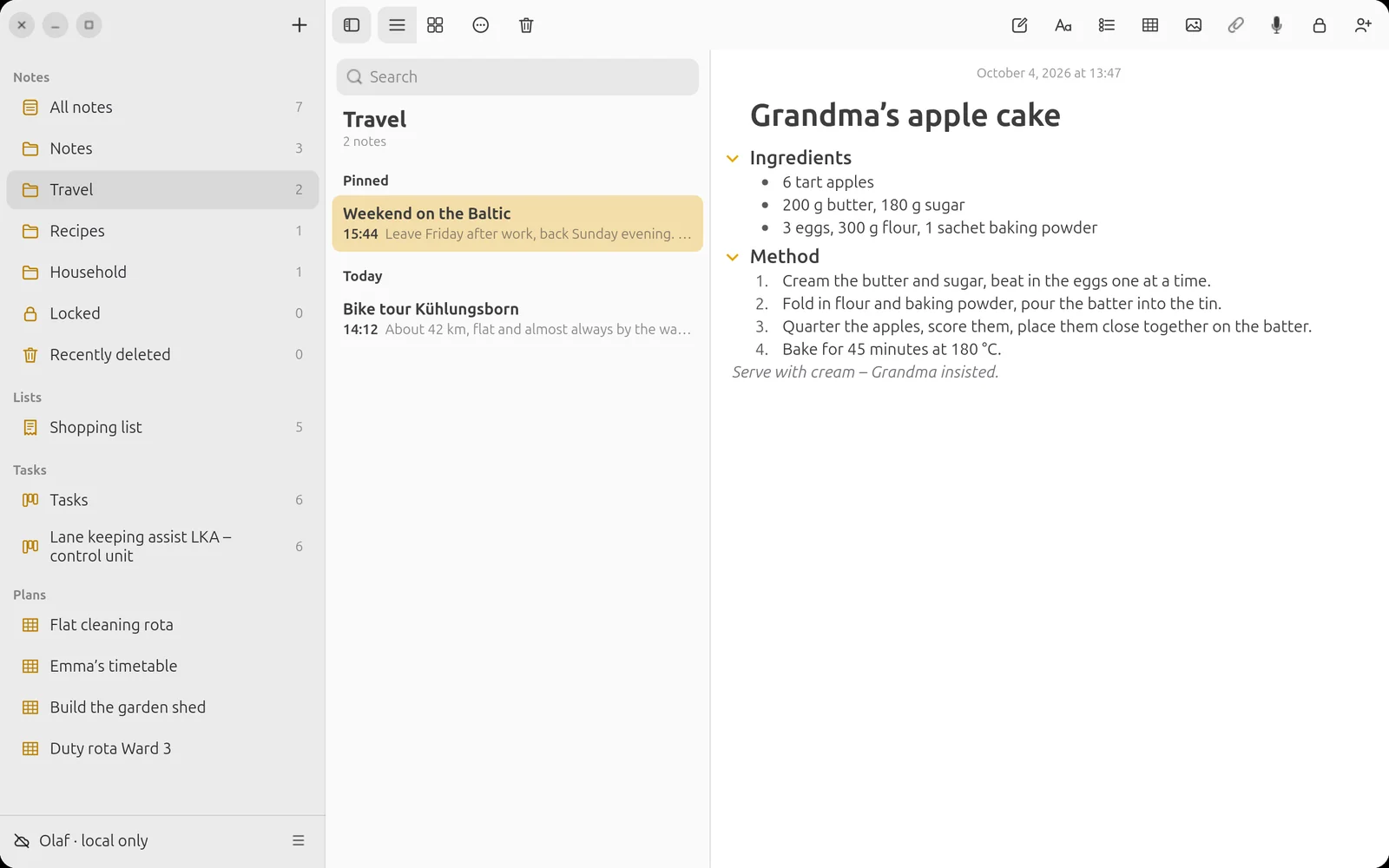
Recipe with ingredient list and preparation steps

Tables. Right in the note.

Budget, packing list, comparison: insert a table, start writing, Tab to the next cell. At the end of the table the new row appears by itself.
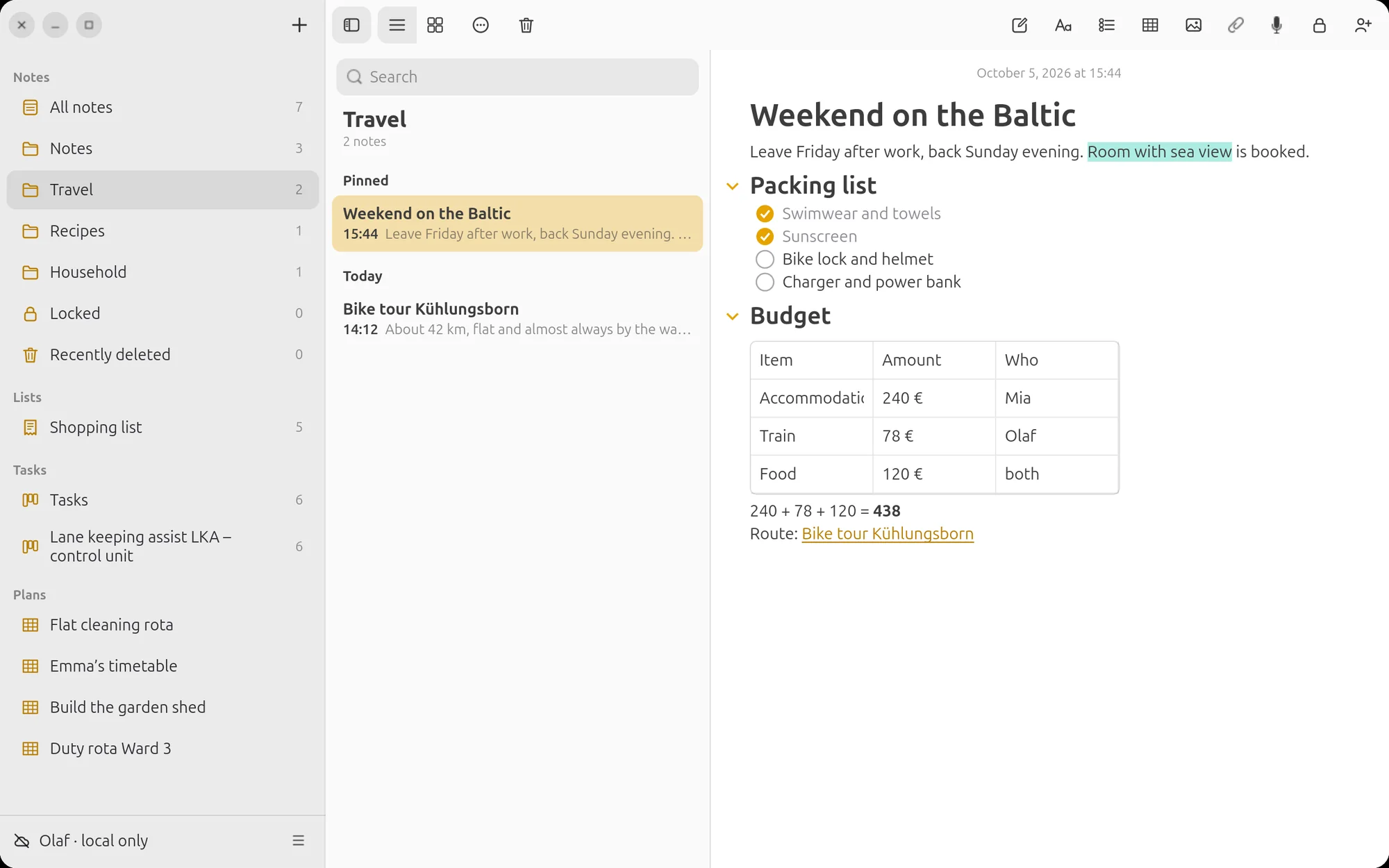
Note with table

Calculating with =

Type a calculation and an equals sign – LiNotes writes the result after it. With decimal commas and brackets, multiplication before addition. No calculator needed.
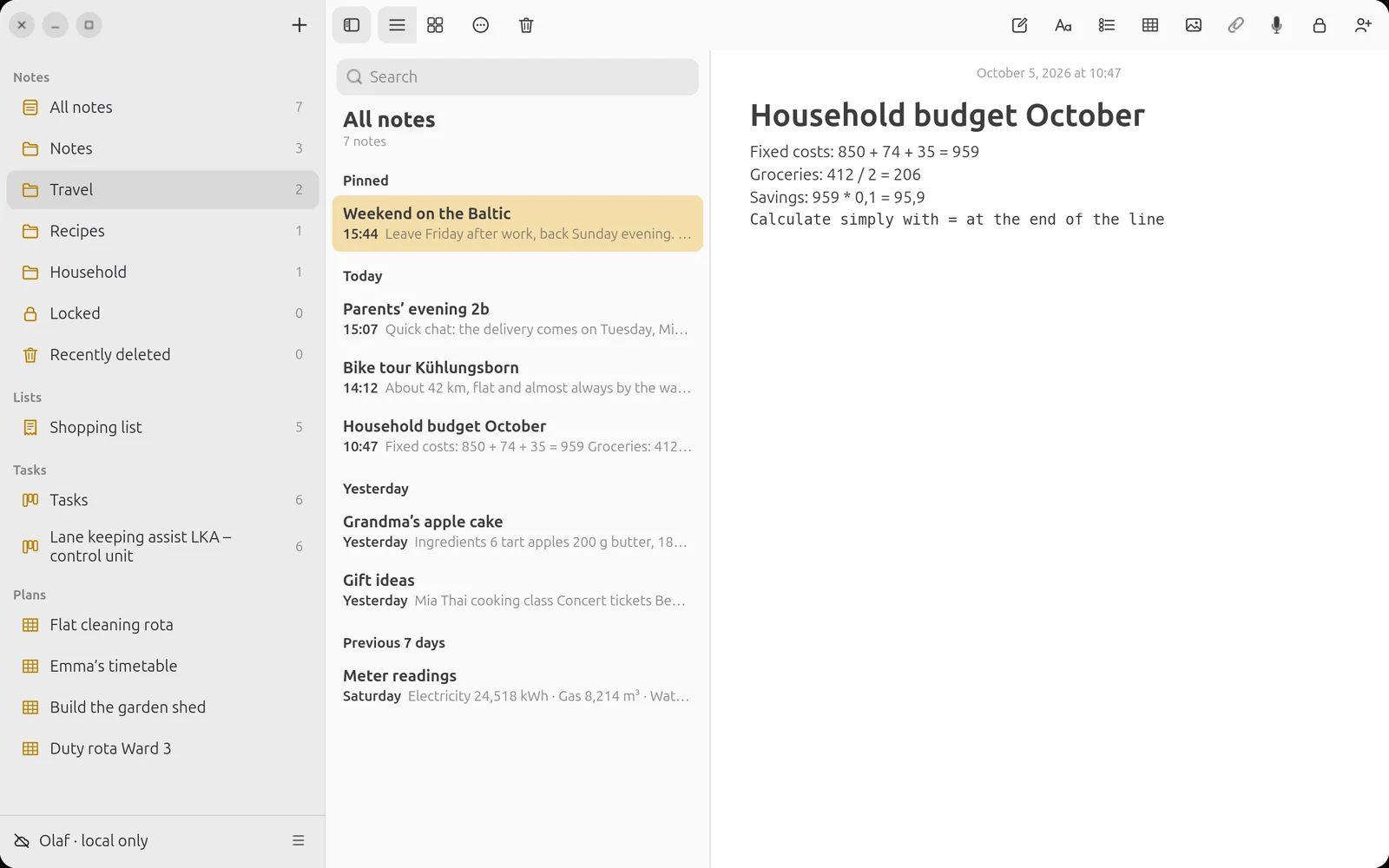
Household budget with calculations

Record speech.
Attach PDFs.

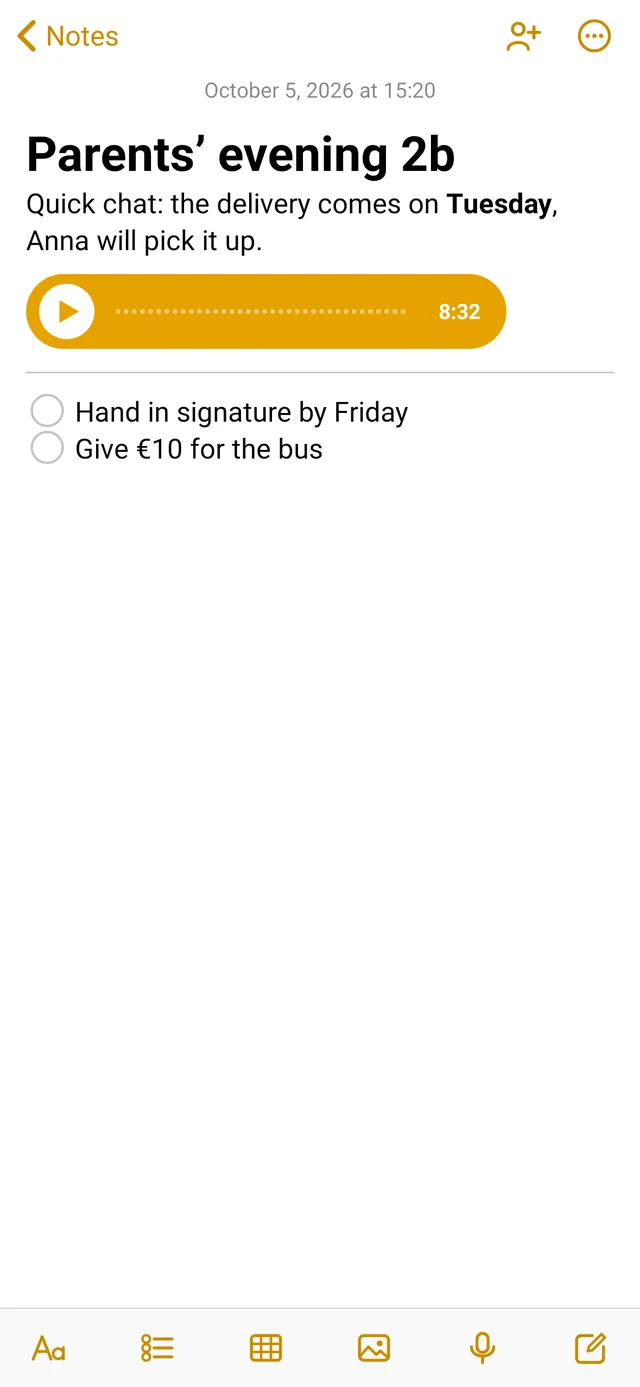
One tap on the microphone and the conversation lands in the note – playable on every device. Letters from school, invoices and plans sit right next to it as PDFs.
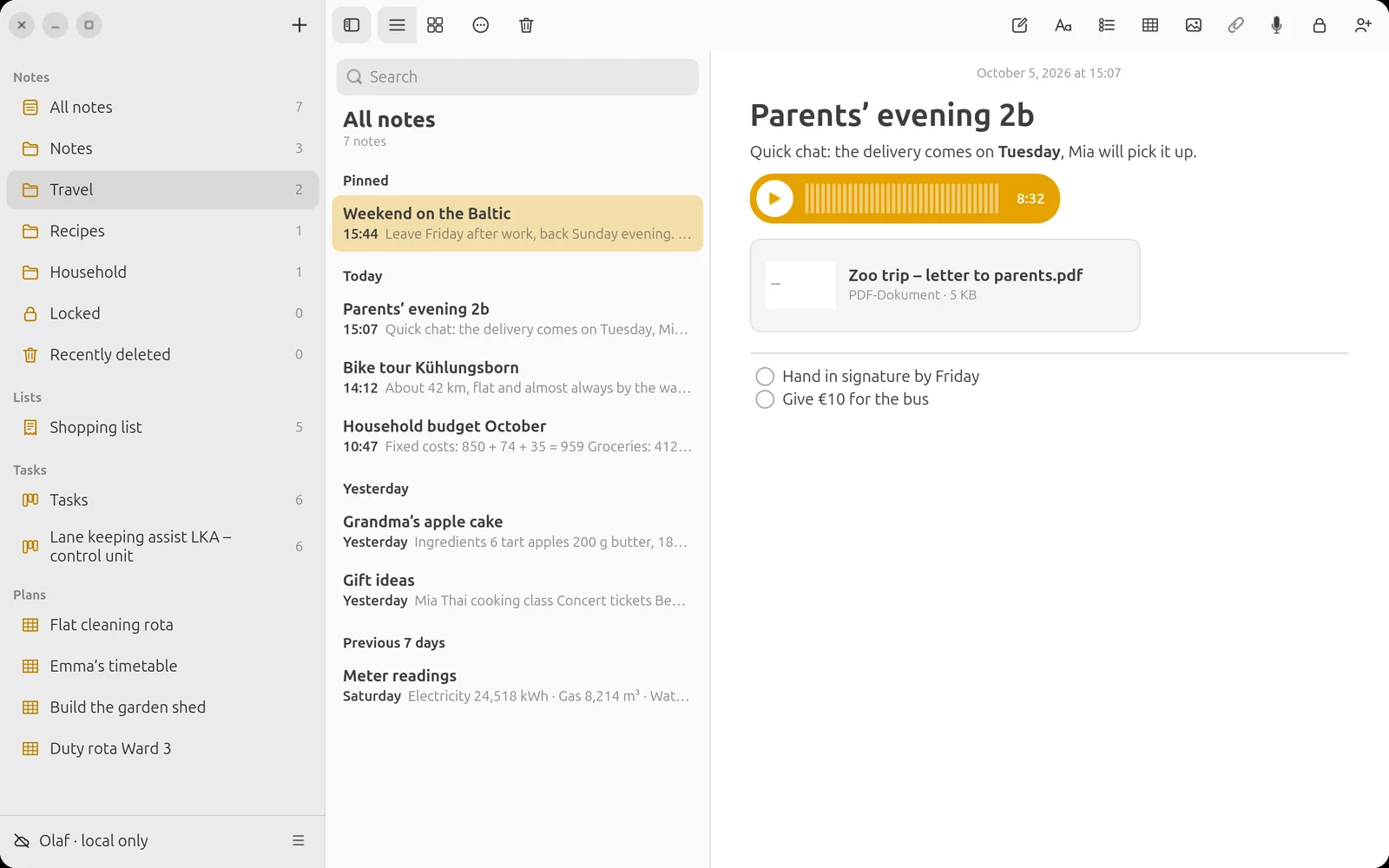
Note with audio recording and PDF attachment

Expand what you need.

Long notes stay clear: an arrow in front of the heading collapses the whole section – the same on phone and computer.
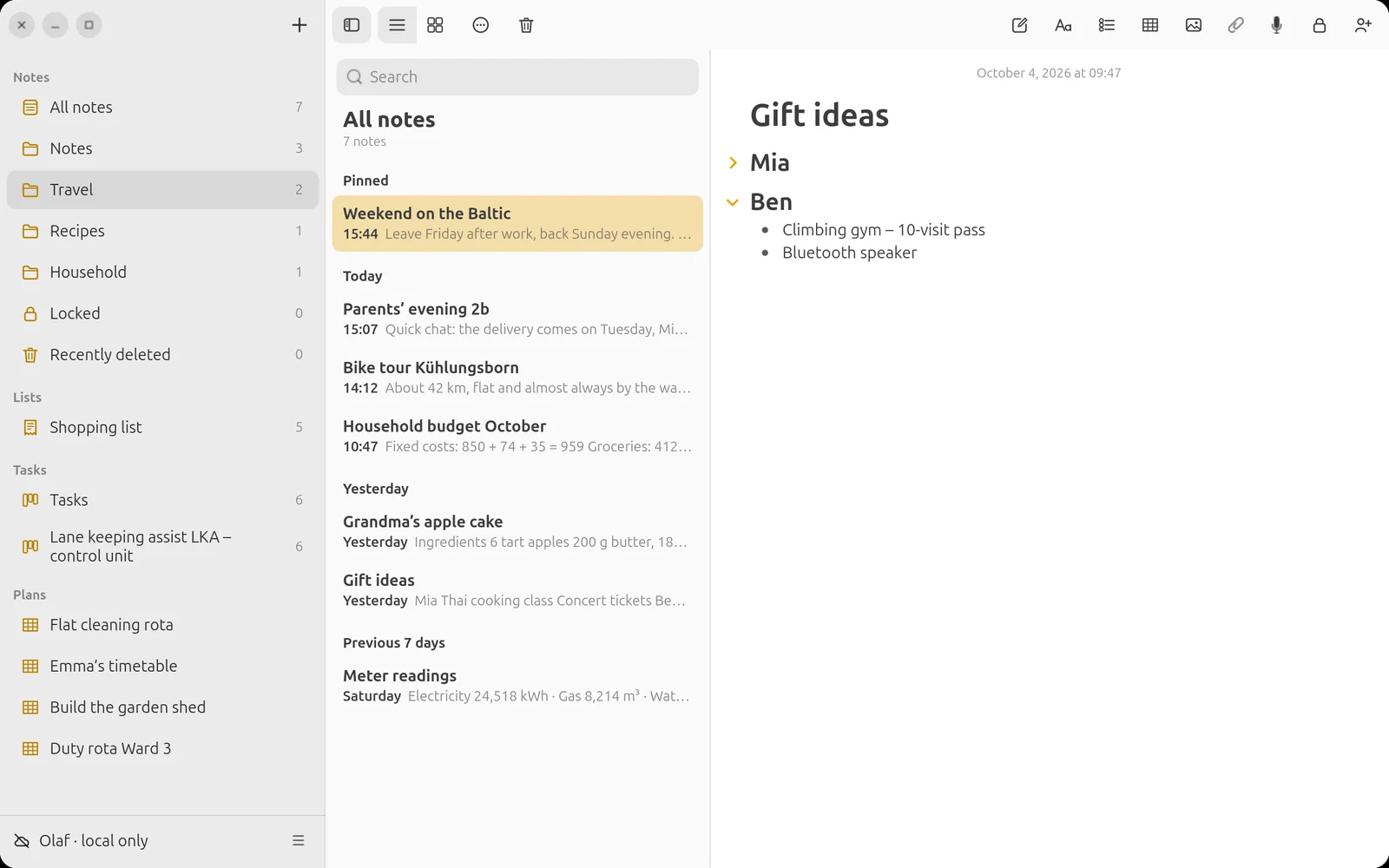
Collapsed sections

Everything at a glance.

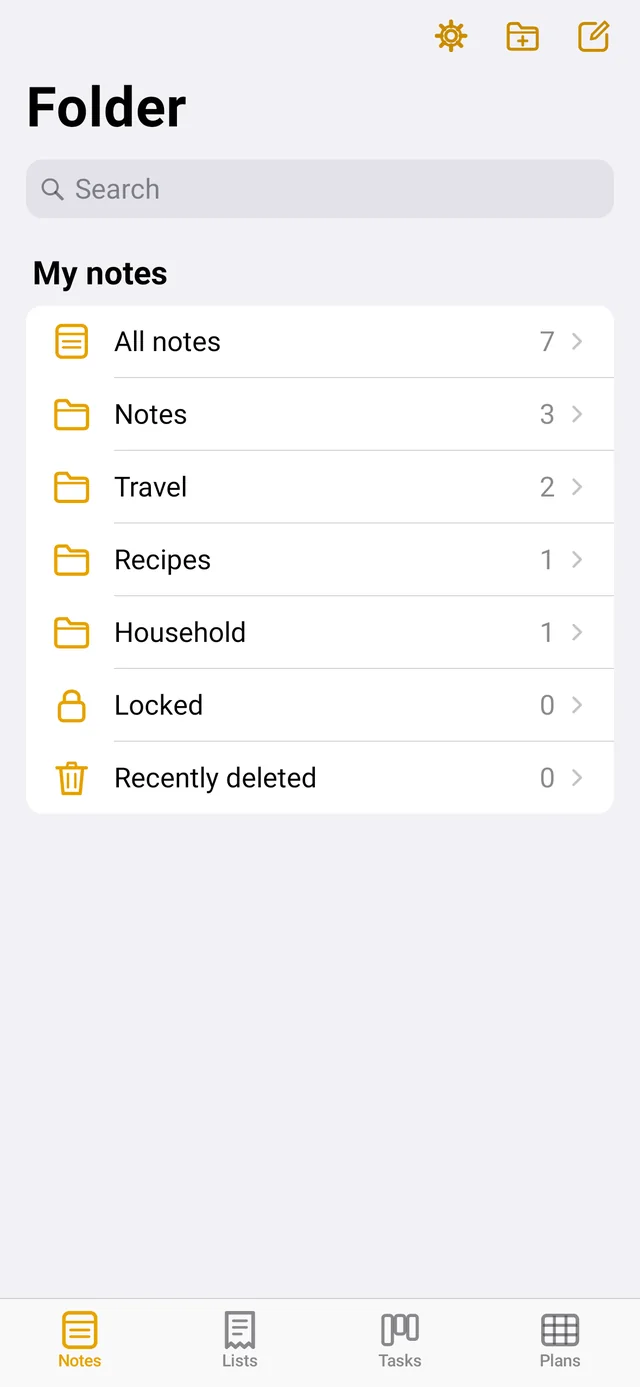
As a list or a gallery, sorted by date or title, in folders and subfolders. Pinned items stay at the top – just as you know it.
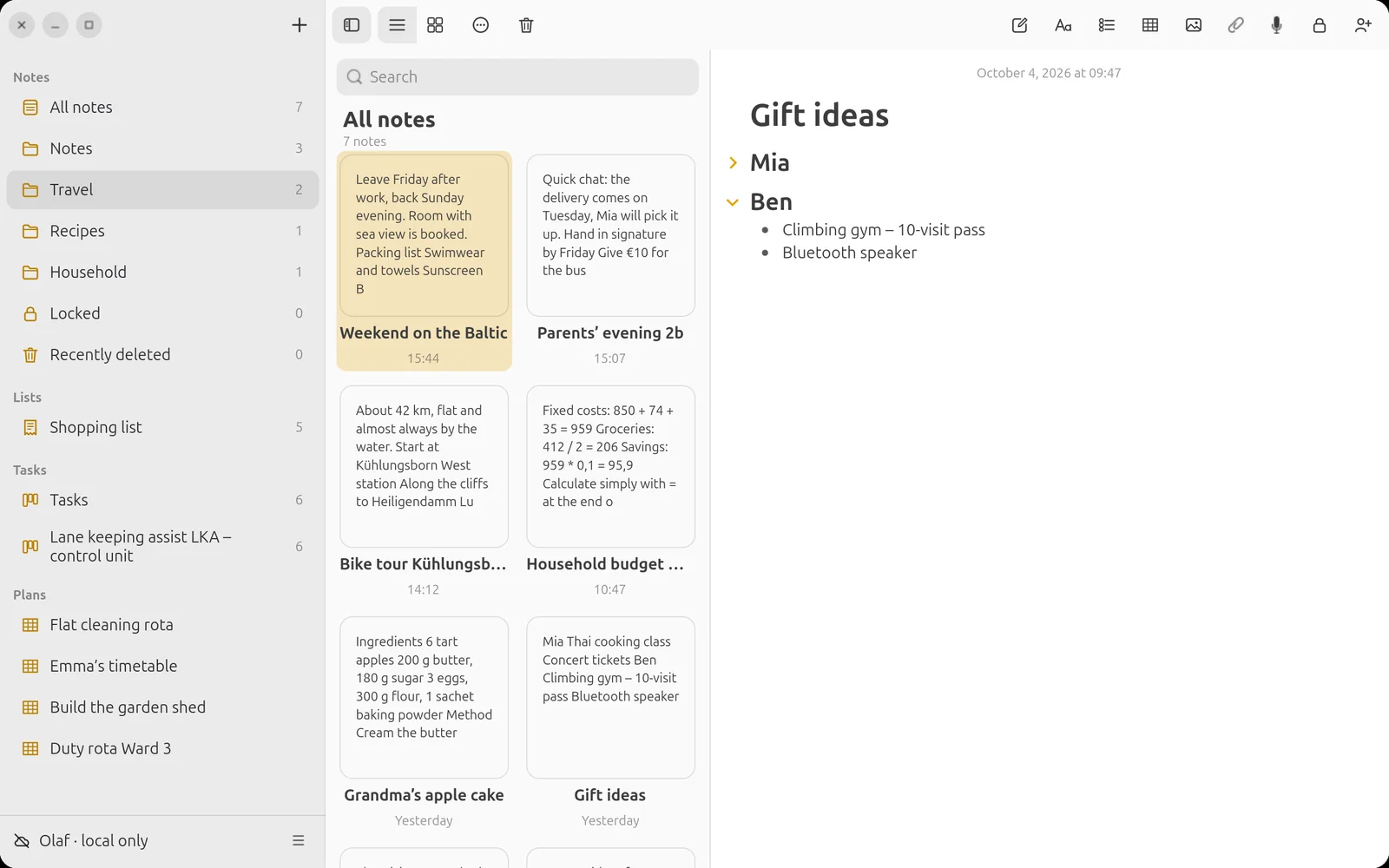
Gallery view of the notes
Recipe with ingredient list
Note with table
Calculating in notes
Audio and PDF in the note
Collapsible sections
Gallery view

New in 2.1

And so much more.

More than twenty new features – each one made so you search less and get more done.

🔗

Linking notes

Type >> and choose a note. The link stays up to date, even if you rename it.

@

Mentions

Address someone with @Name in shared notes – the person gets a notification.

✨

What’s new?

If someone has changed a shared note, you see a dot and the changed lines are marked.

🖍️

Highlighting in six colours

Yellow, orange, pink, purple, mint, blue – plus text colour, font and alignment.

📐

Justified text and hyphenation

Clean typesetting on the phone – titles and headings still stay calm.

🔒

Locked notes

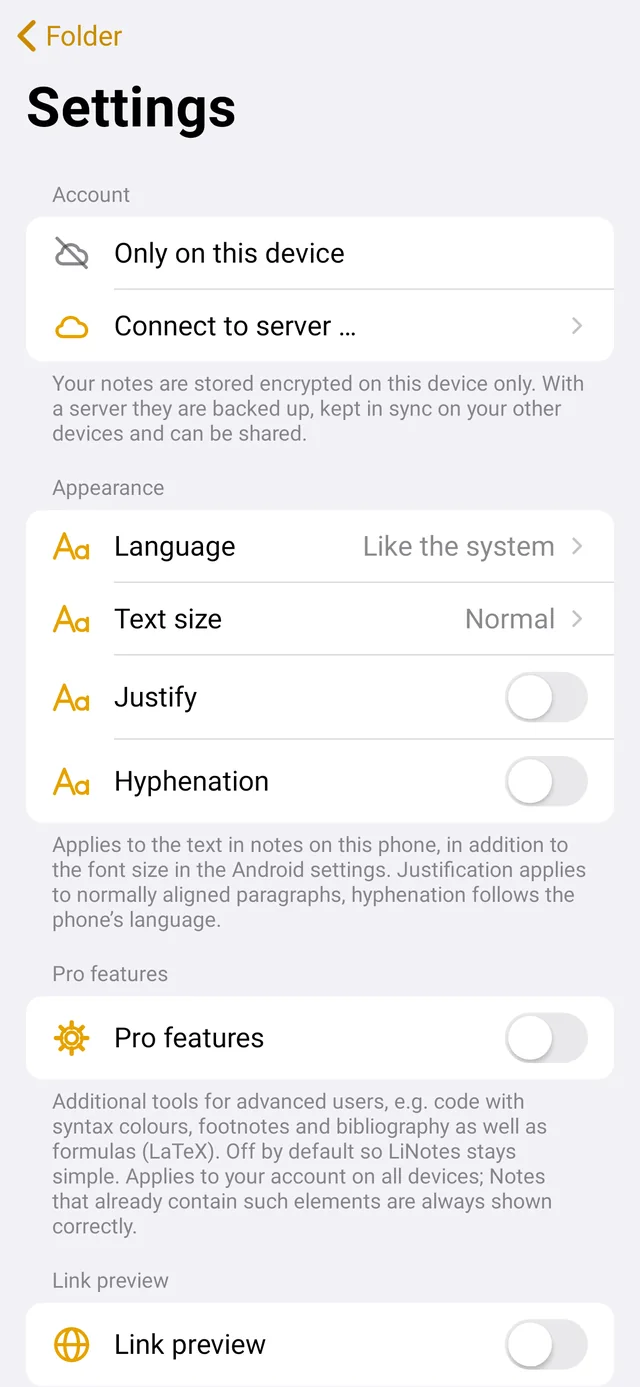
Encrypt secrets additionally. Unlock with your fingerprint on the phone.

⚡

Quick note

From the phone’s Quick Settings or with a keyboard shortcut on the computer – start writing right away.

🖨️

PDF and printing

Every note and every plan as a beautifully typeset PDF – for sharing, printing or putting up on the wall.

🪟

Own window

Open notes on the computer in a window of their own with a double-click – work side by side.

✋

Drag and drop

Simply drag notes, lists, boards and plans onto a folder – with the mouse on the computer, with your finger on the phone. Folders can be nested as deeply as you like.

⌨️

Keyboard shortcuts

All shortcuts at a glance with Ctrl + ?.

📷

Camera

Photo straight into the note – the right way up, in portrait too.

🔤

Text size

Adjustable per device – large on the phone, compact on the laptop.

🌐

Tap links

Web addresses in notes are clickable right away.

New: plans

A plan for everything.

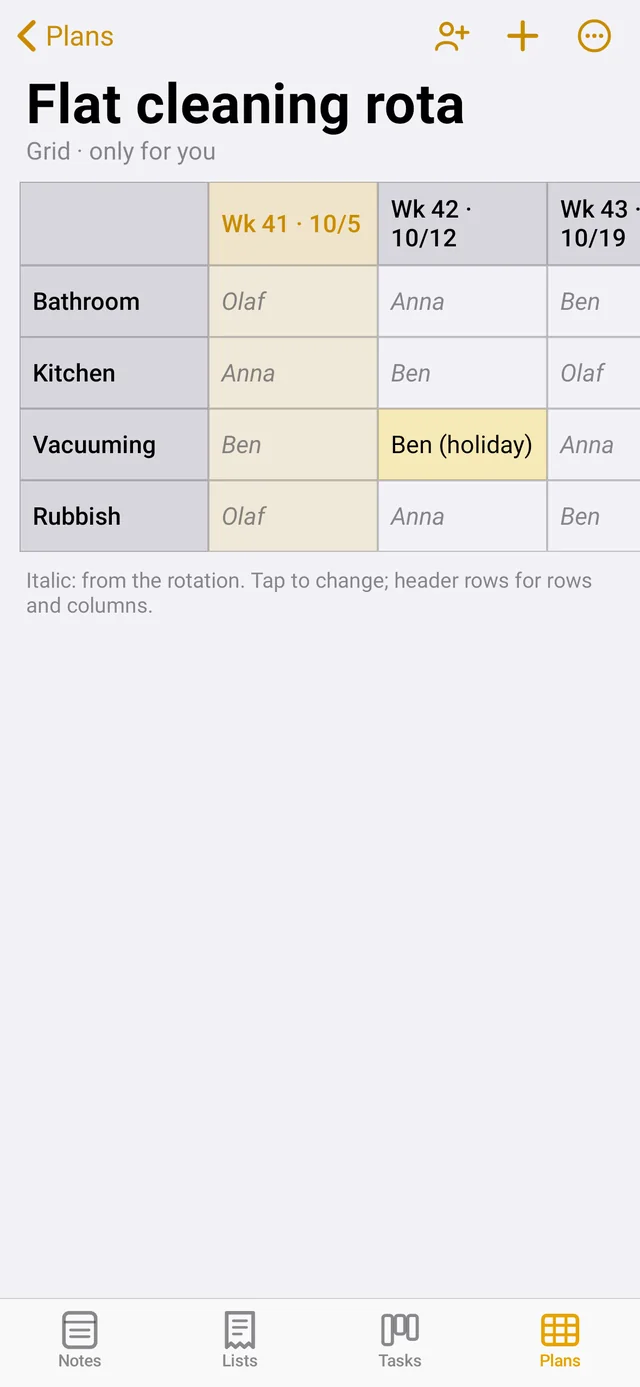
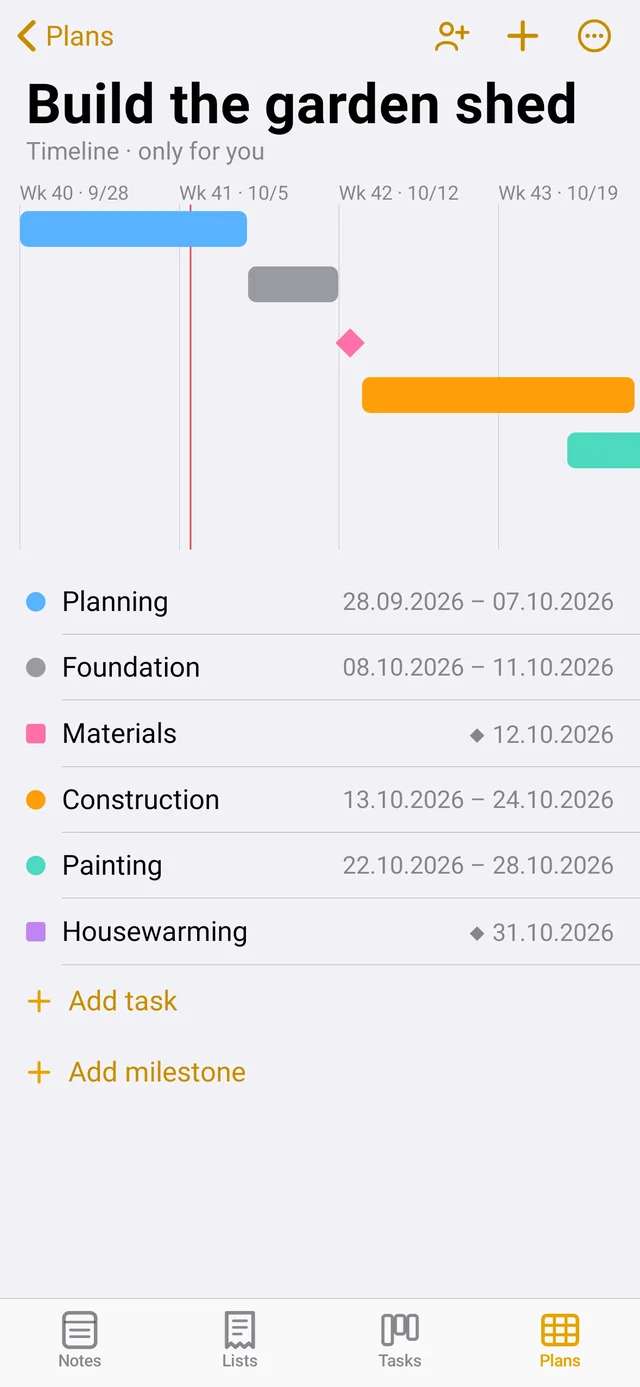
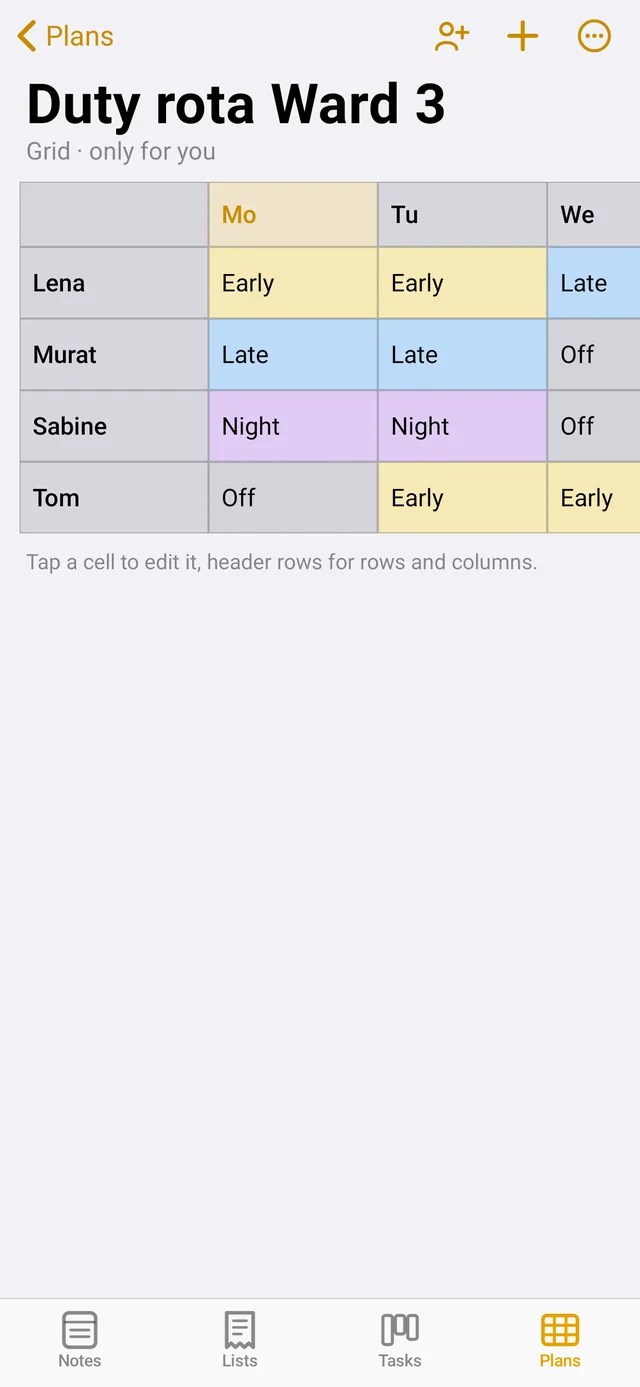
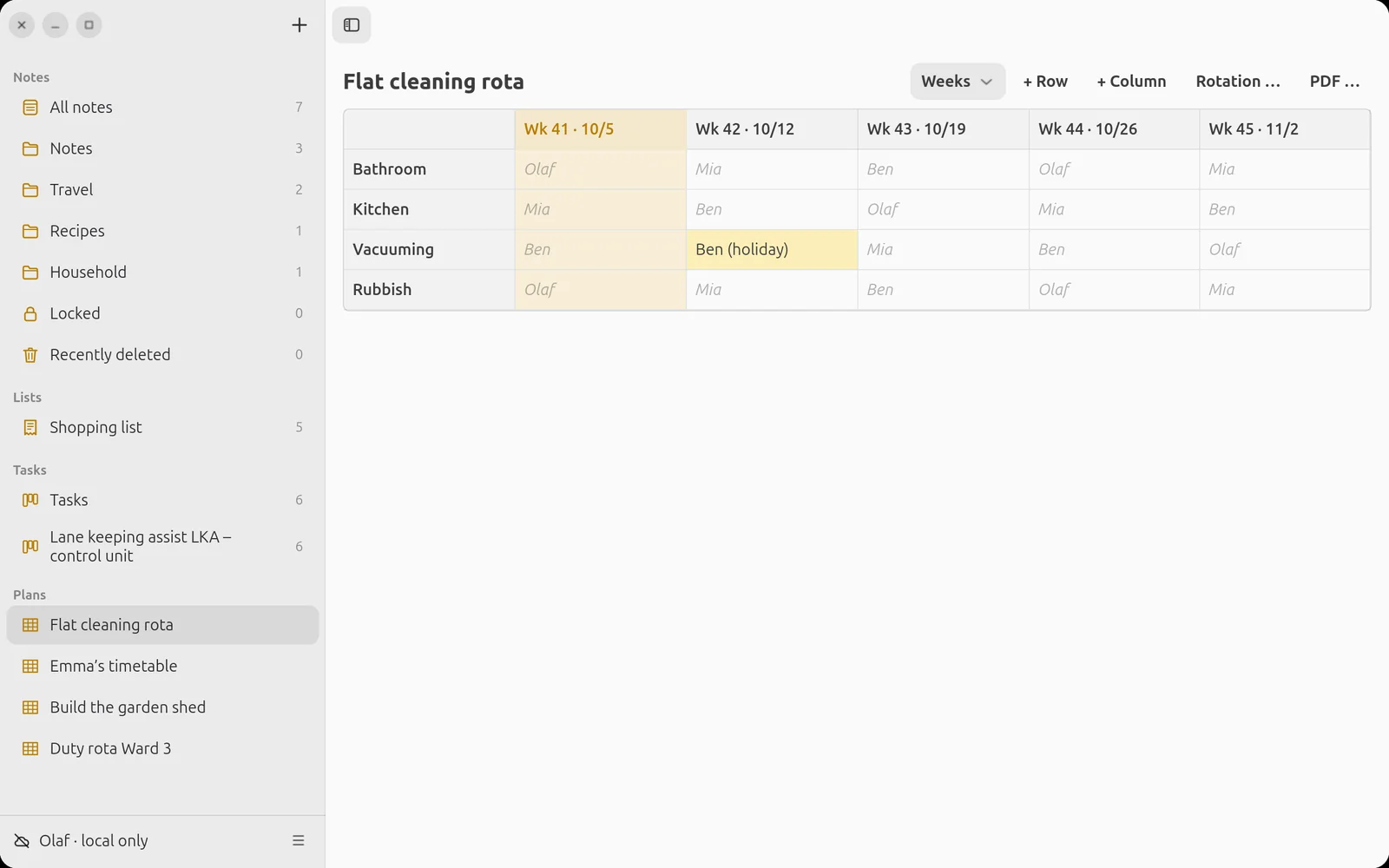
Cleaning rota, timetable, duty rota or project – choose a template and get going. Today is always marked.

Plan on Ubuntu
Plan on the phone

Cleaning rota with rotation: the names move on one row every week. Anyone on holiday simply gets an entry of their own.

🔁

Rotation

For cleaning and duty rotas: enter the names once, LiNotes redistributes week after week.

🗓️

Columns as you like

Free columns, weekdays, single days or calendar weeks.

📄

For the notice board

As a PDF in landscape – for the fridge, the ward office or the clubhouse.

Tasks

What’s coming up.
What’s done.

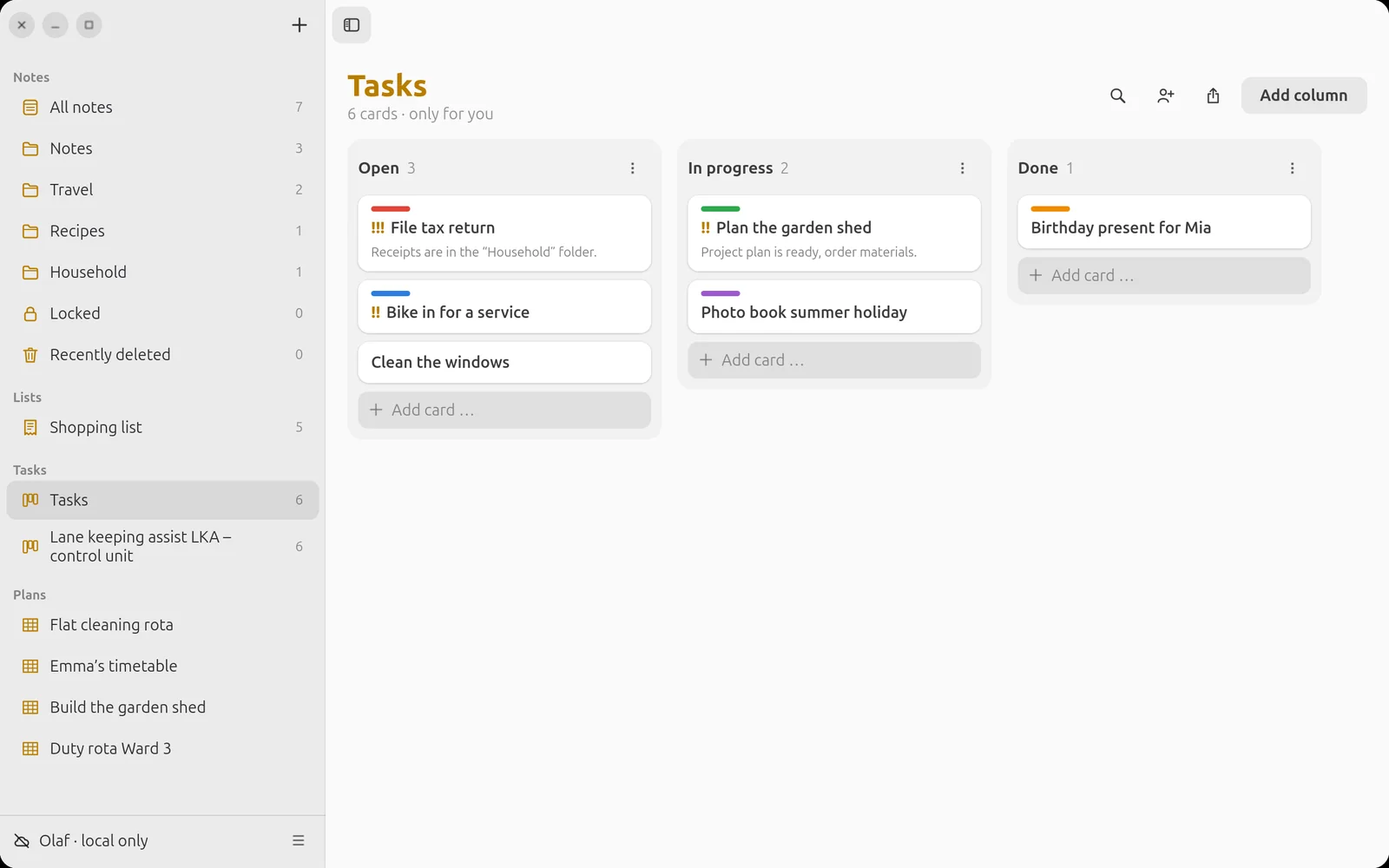
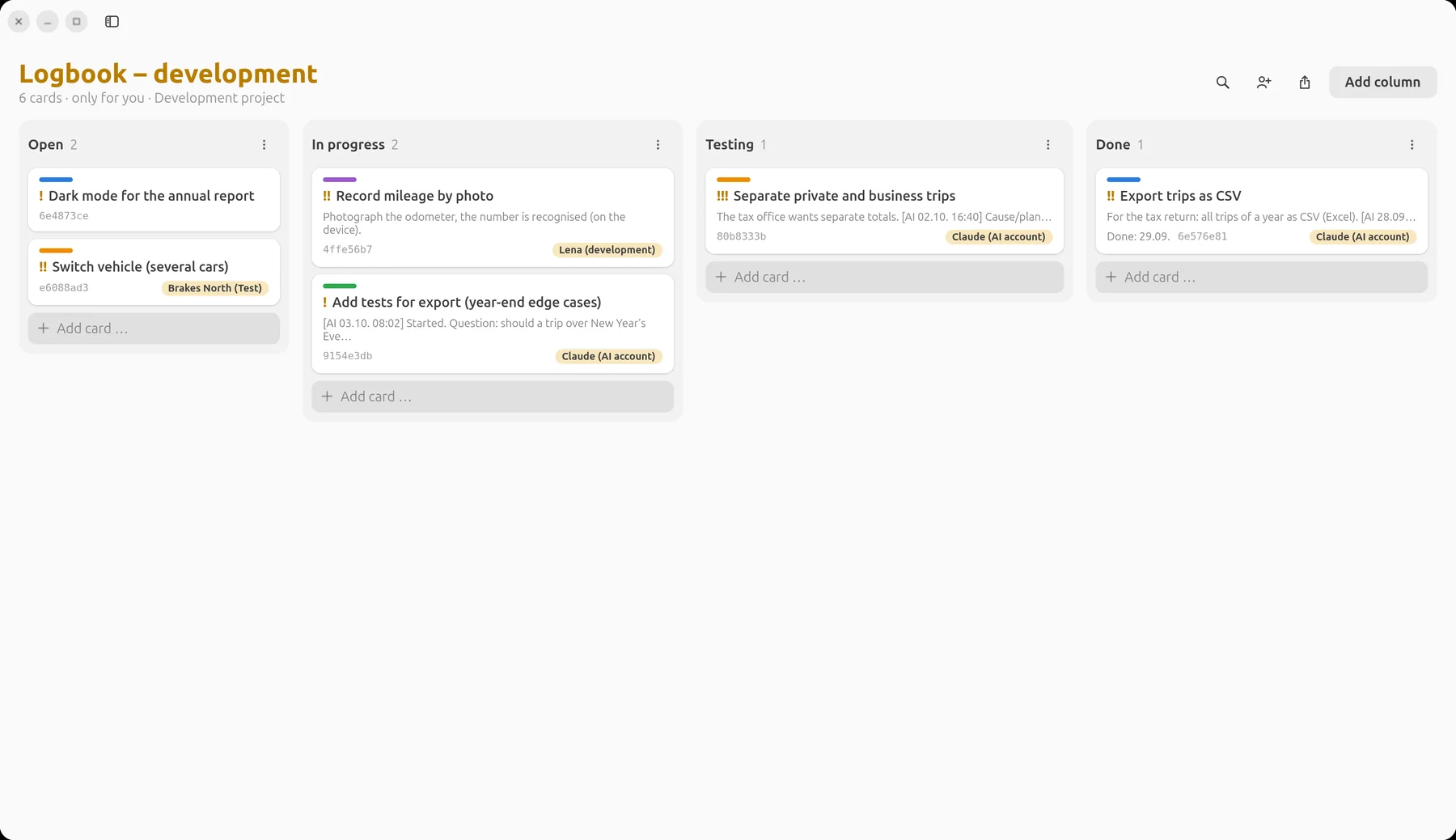
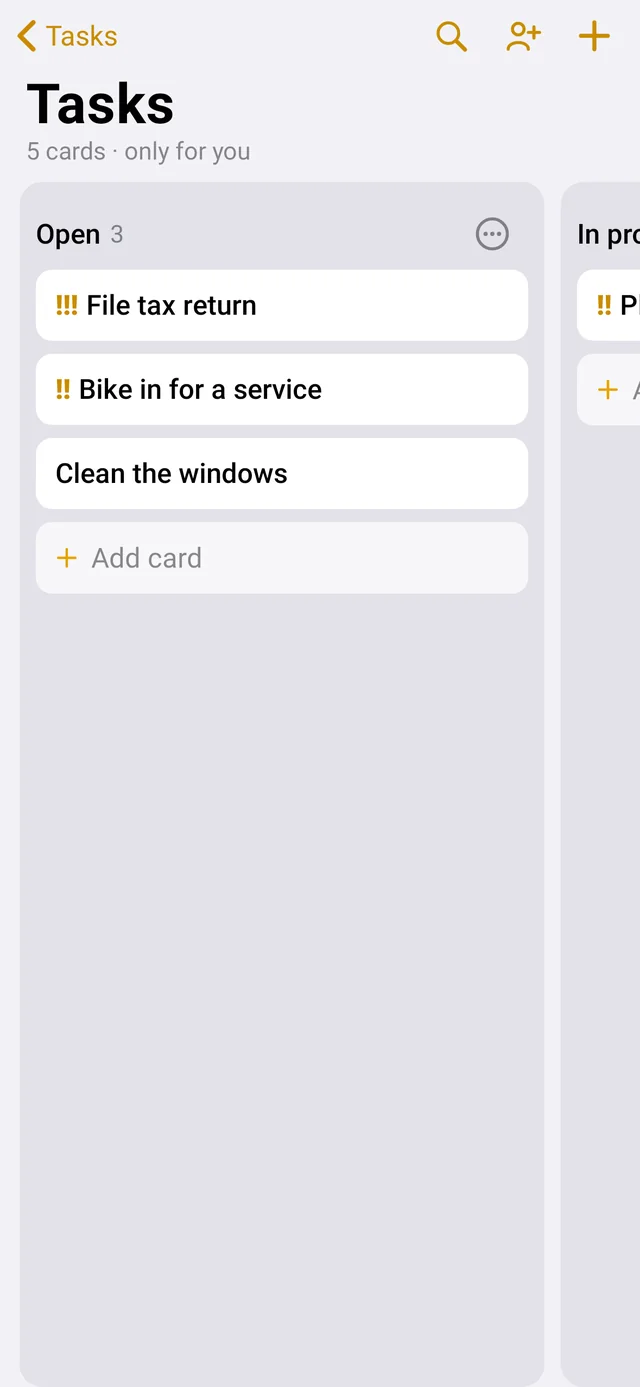
Boards with columns, colours, priorities and due dates. Together with family or team – what one person moves, everyone sees immediately.

  • Drag cards from “Open” through “In progress” to “Done”.
  • Priority with one, two or three exclamation marks.
  • Report as PDF or CSV – for filing or the spreadsheet.
Task board on Ubuntu

Development projects

Ready for series production.

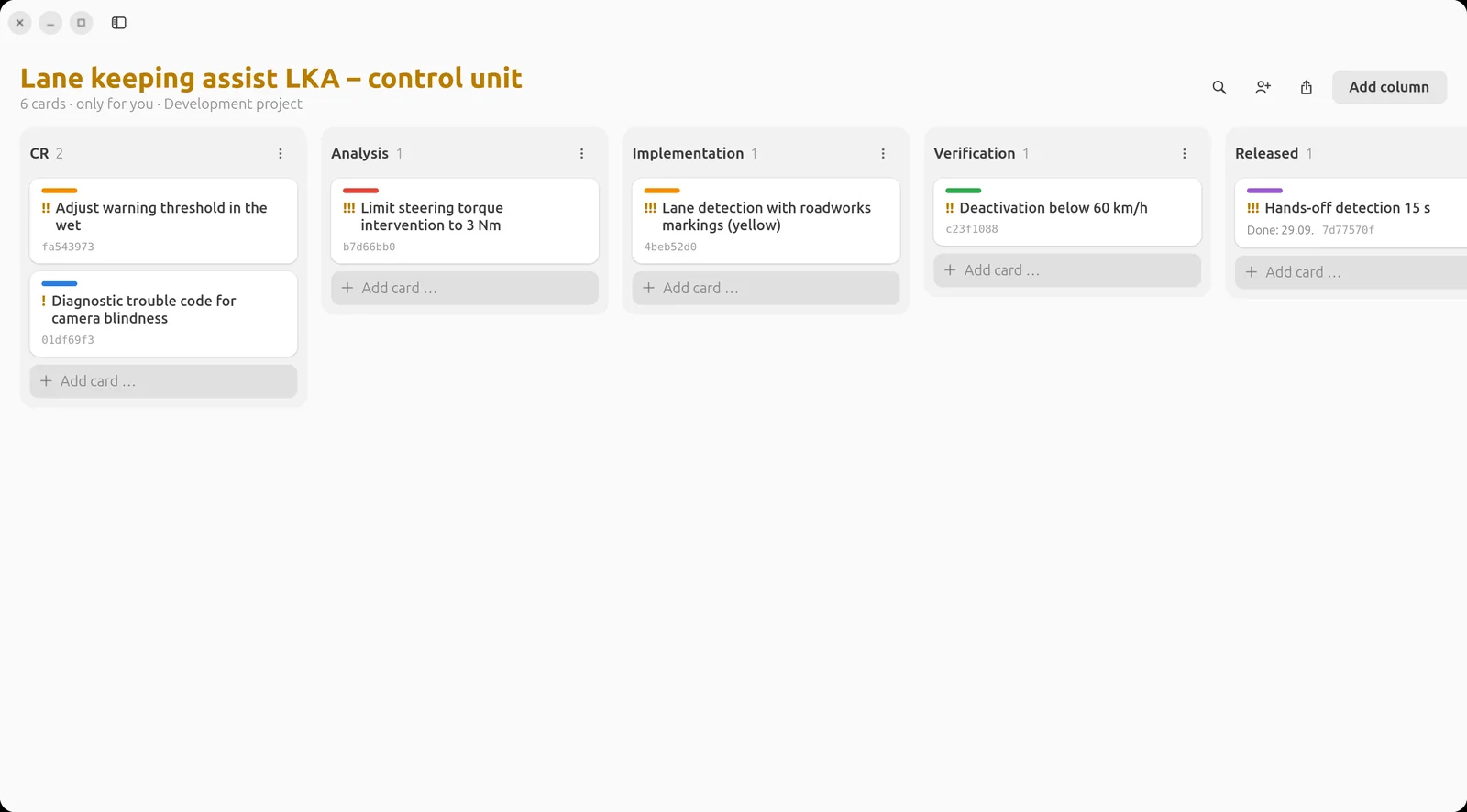
One click turns a board into a development project: card IDs, status history, impact analysis, verification, version and linked commits – up to a traceability matrix at the push of a button.

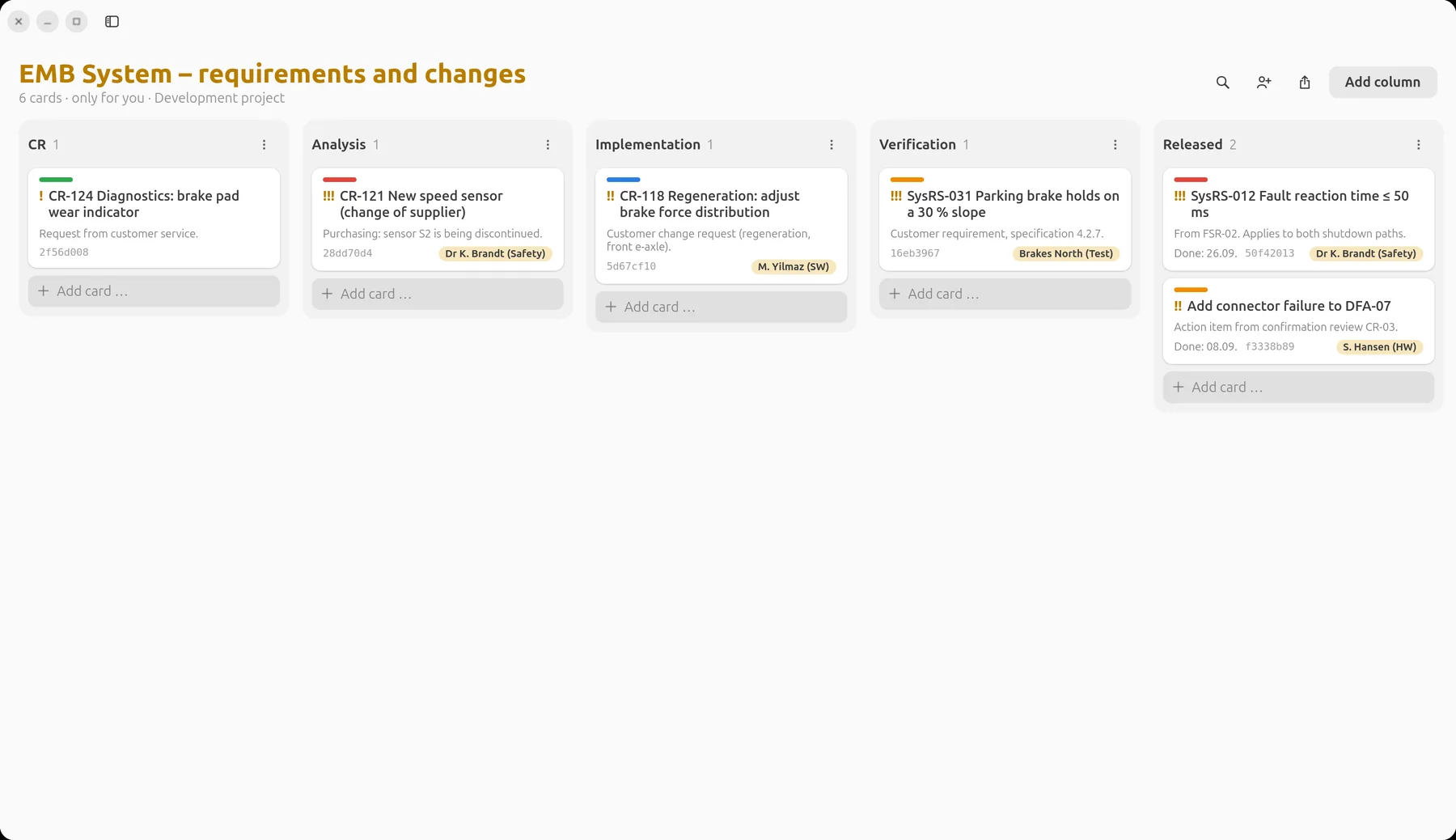
Development project “Spurhalteassistent LKA – Steuergerät” (lane keeping assist control unit) with the columns CR, Analysis, Implementation, Verification and Released

Example: a fictitious automotive project (lane keeping assist) with an ASPICE-like workflow.

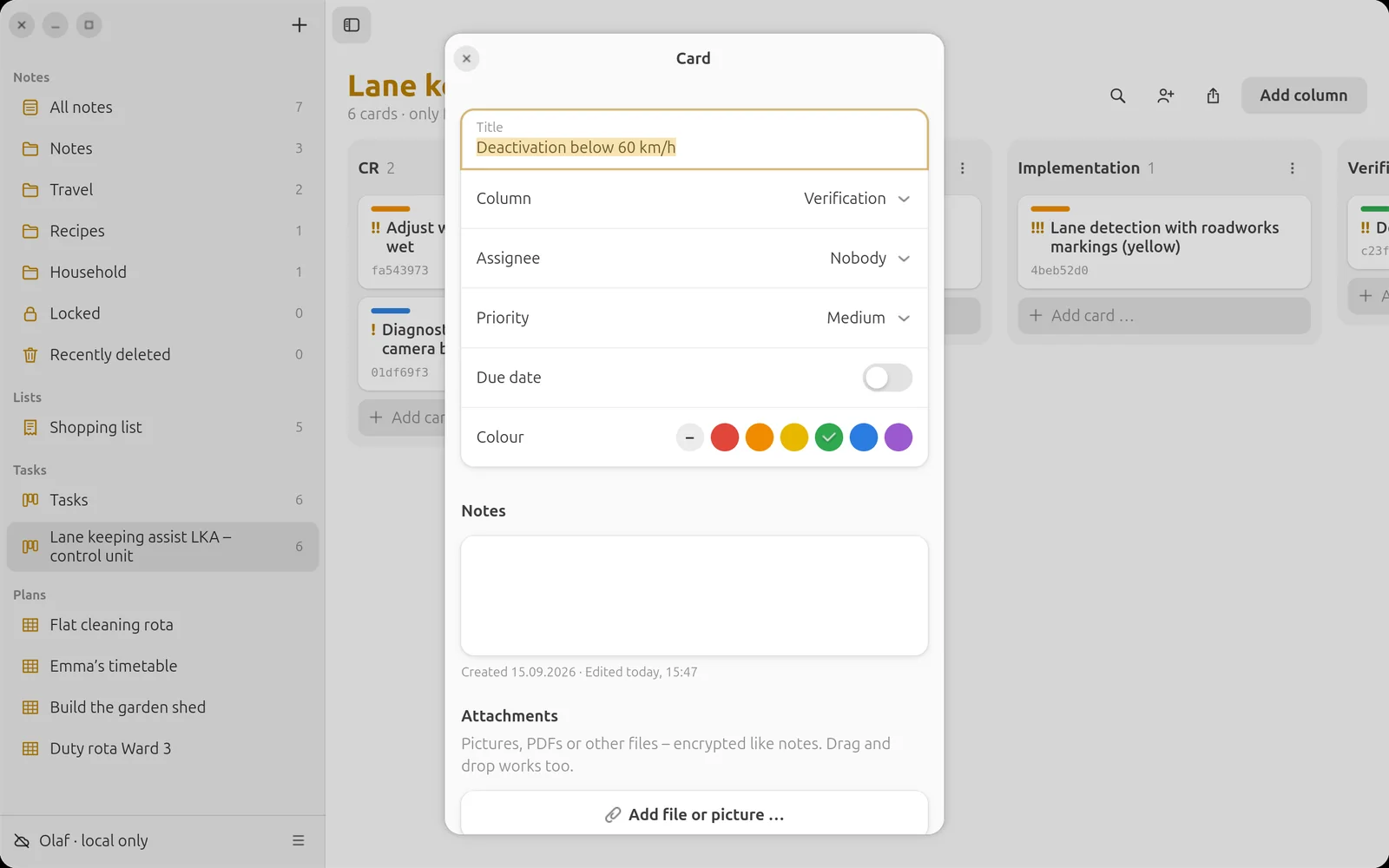
Change request with impact analysis according to ISO 26262

Every change request.
Fully traceable.

  • Impact analysis – what is affected, which safety goal, which ASIL rating.
  • Verification – SIL, HIL and road test evidence as files right on the card, with checksum in the report.
  • Commits automatically – card ID in the commit message, and LiNotes links them.
  • Status history – when did the card go from analysis to implementation, and who moved it.
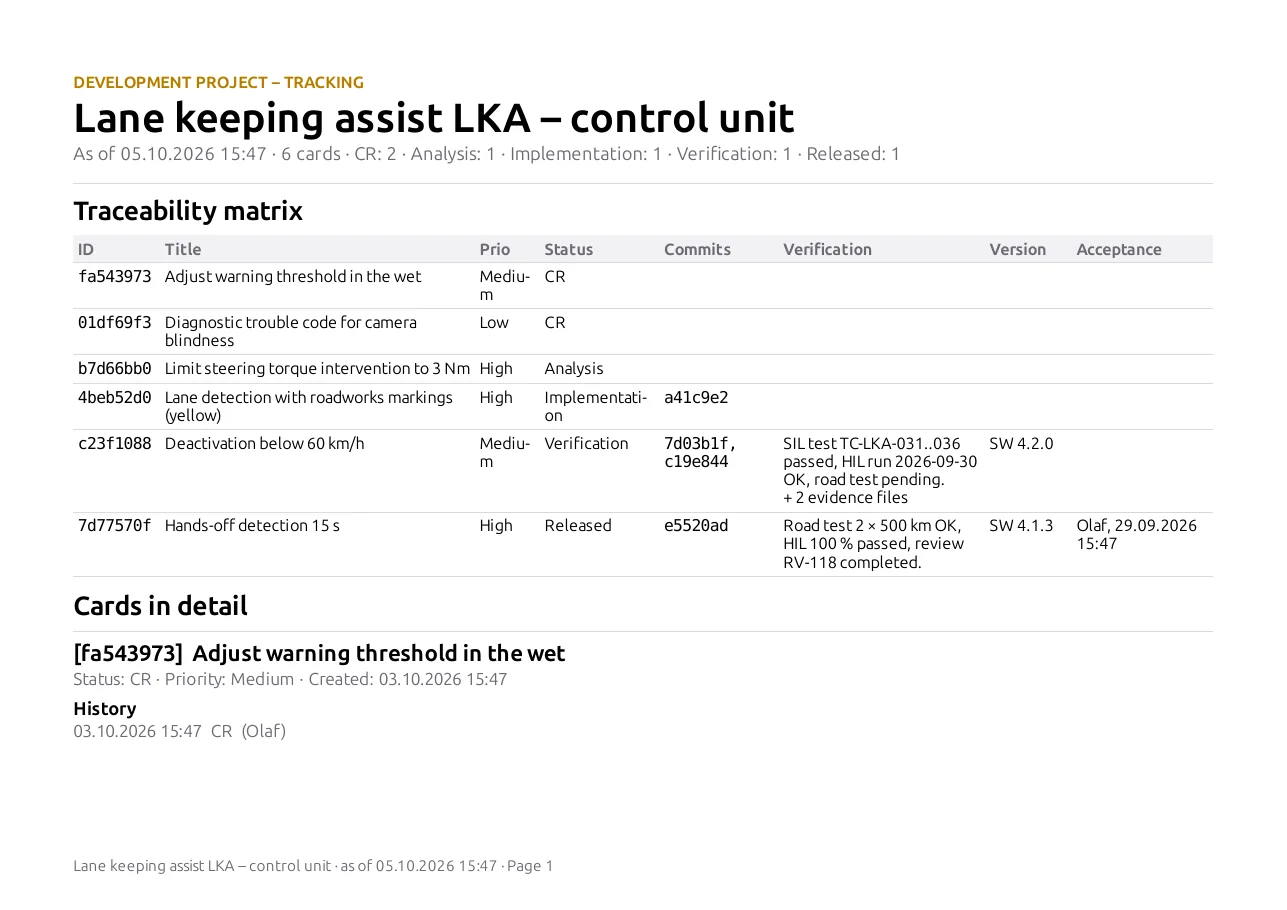
Traceability matrix as a PDF report

The traceability matrix.
In one second.

Right-click the board, “Export report” – and the evidence with matrix and detail pages for every card is ready. As a PDF for the audit or as CSV for further processing.

Lists

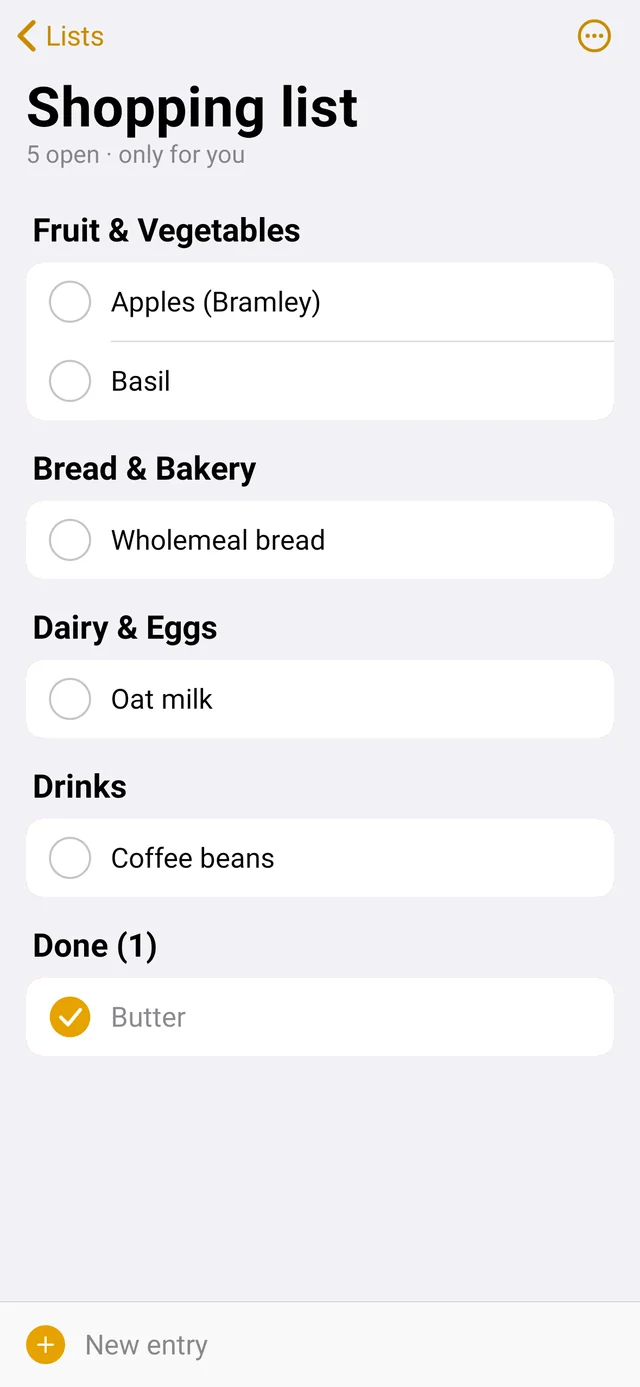
Shopping
without searching.

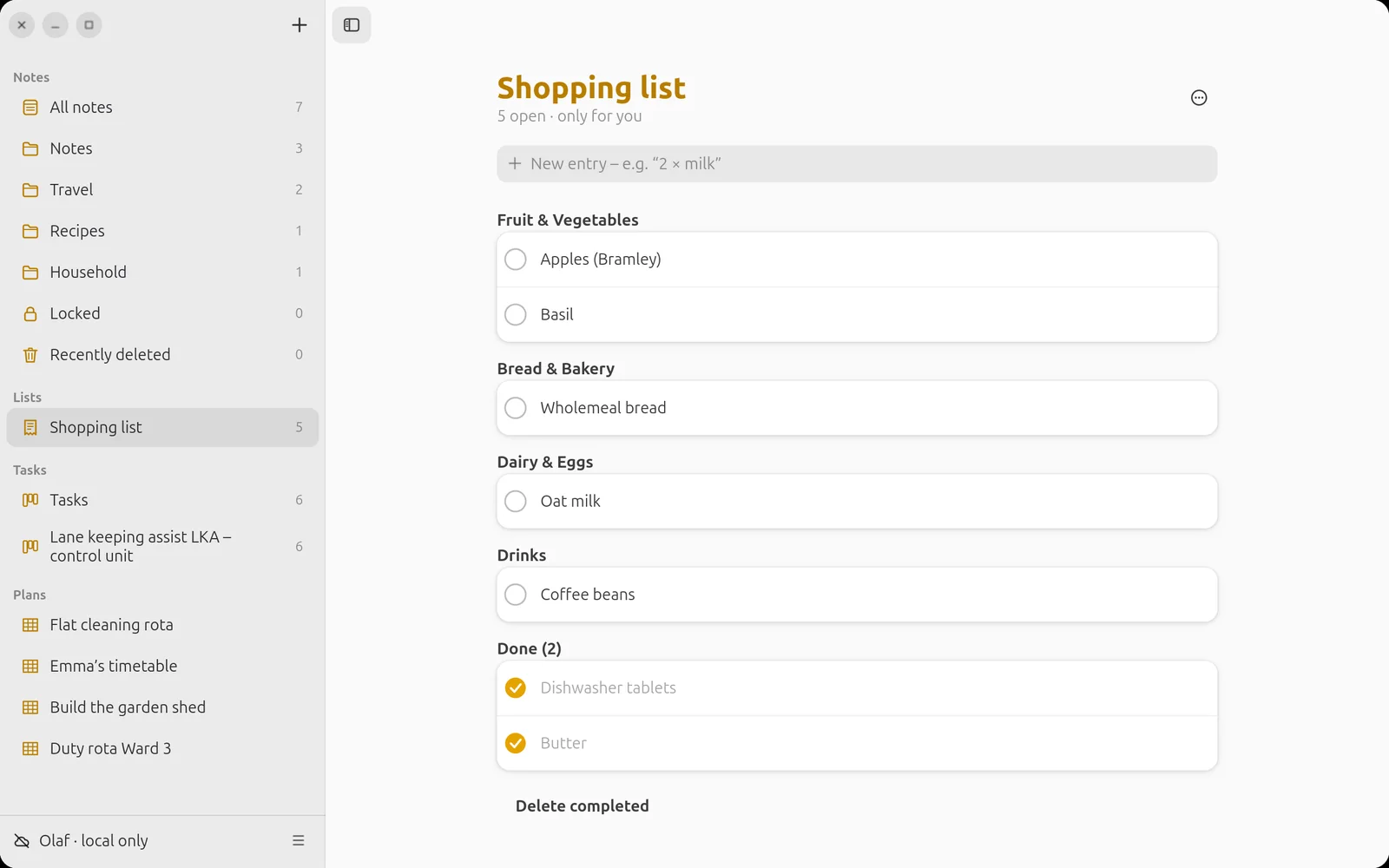
Entries sort themselves by product group. Whoever puts something in the trolley ticks it off – and everyone else sees it immediately.

Shopping list on Ubuntu
Shopping list on the phone

Android

Feels like home.

Designed following Apple’s guidelines: large titles, clear lists, tab bar at the bottom – with light and dark design.

Security

Your notes
stay with you.

Nobody reads along – no corporation and not even whoever runs the server.

AES-256
end-to-end encryption on your device
0
trackers, ads, analytics services
0
passwords anyone could guess
100 %
your own server – or none at all
🔐

Not even the operator

Notes, lists, plans, folder names, images and audio are encrypted before they leave your device. The server only sees unreadable data.

🤝

Verified people

Before you share, you confirm each other once by code or QR code. That way nobody can slip in a false key.

📱

Devices like with Signal

New device? Type in the six-digit code or scan the QR code – done.

Download

Get started. For free.

Version 2.2.1 for Android and Ubuntu – with or without your own server.

Android

Android 8 and later · about 10 MB

Most convenient via F-Droid – then updates arrive automatically.

Add repository in F-Droid › QR code of the F-Droid repository
Download APK
Fingerprints

Repository: 8DA9DEF44C65856A1B098DB7BF876D48514997EF17C7256E23E91EAC6C486500

App signature (SHA-256): 4673c3322dbd4ebbde9746b3f3fe5ccbb06414147797089a394c417b1f0f0819

Ubuntu

Ubuntu 26.04 and other systems with GTK 4 and libadwaita
Terminal
$ sudo apt install python3-gi gir1.2-gtk-4.0 \
    gir1.2-adw-1 gir1.2-secret-1 python3-cryptography \
    gir1.2-gstreamer-1.0 gstreamer1.0-plugins-good poppler-utils
$ wget https://lisoftware.de/linotes/download/linotes-ubuntu-2.2.1.tar.gz
$ tar xzf linotes-ubuntu-2.2.1.tar.gz -C ~/.local/share
$ ~/.local/share/linotes/install.sh
Download package

Your own server

Raspberry Pi, Debian, Ubuntu

One command sets up everything: service, HTTPS certificate, nightly backup and your first invitation code.

No server? Choose “Use without server” on first launch – you can add a server at any time later.

To the guide

Developed by Olaf Winkler in Schleswig-Holstein.

Checksums: SHA256SUMS · Source code and all versions on GitHub · Questions? The help shows every feature step by step.